Paperwork into your phone.
Done in seconds.
Snap an invoice, contract or receipt. KaranScan crops, whitens and names it for you. Then sign it, translate it or send it as a PDF.
Download on the App StoreFree · Premium free for 14 days · No account
What bugs you about paperwork?
Crooked scans you keep fixing?
Finds the paper edges, straightens the perspective and whitens the background. Usually you just confirm.
Thinking up file names?
It names the document from its content: “Invoice – Elektro Hruška – 12 Aug 2026”.
Looking for one receipt among hundreds?
Type a word — a name, a number — and it finds it inside the text.
Lost in a wall of text?
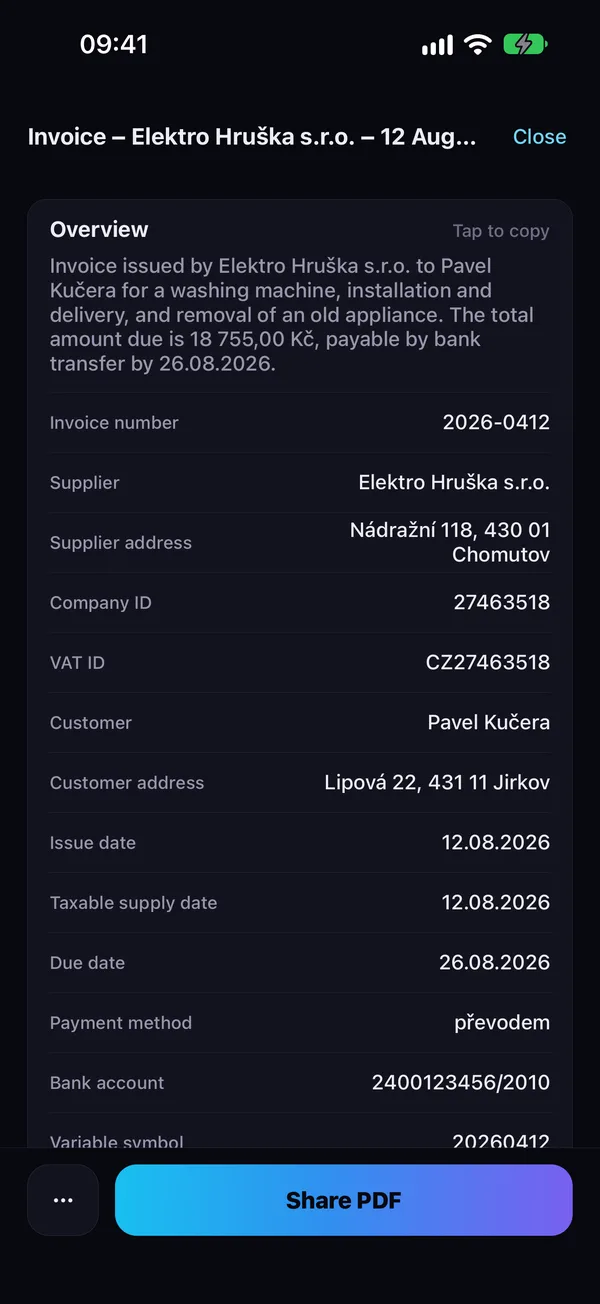
The overview pulls out what matters: amount, due date, account, reference.
A letter in a foreign language?
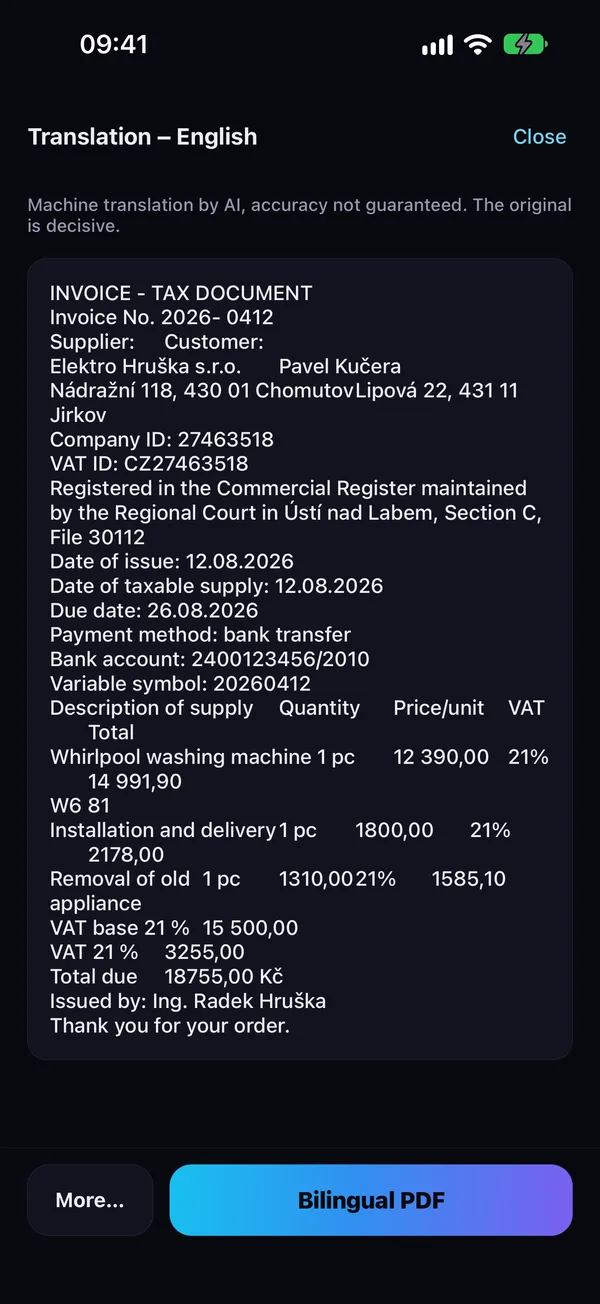
Translates the whole document into English, Czech, German, Polish or Ukrainian.
Need a signature?
Sign with your finger right on your phone and send it back.
Folded corner, chopped-off scan?
It notices when part of the page sticks out past the edge and keeps the whole document — no missing corner, no slice of table.
A clean PDF even from crumpled paper
- Finds the paper and captures when you hold still
- Straightens perspective, evens out light, sharpens text
- Enhanced scan: a perfectly white background, like a copier
- Multi-page PDFs, import from Photos and Files
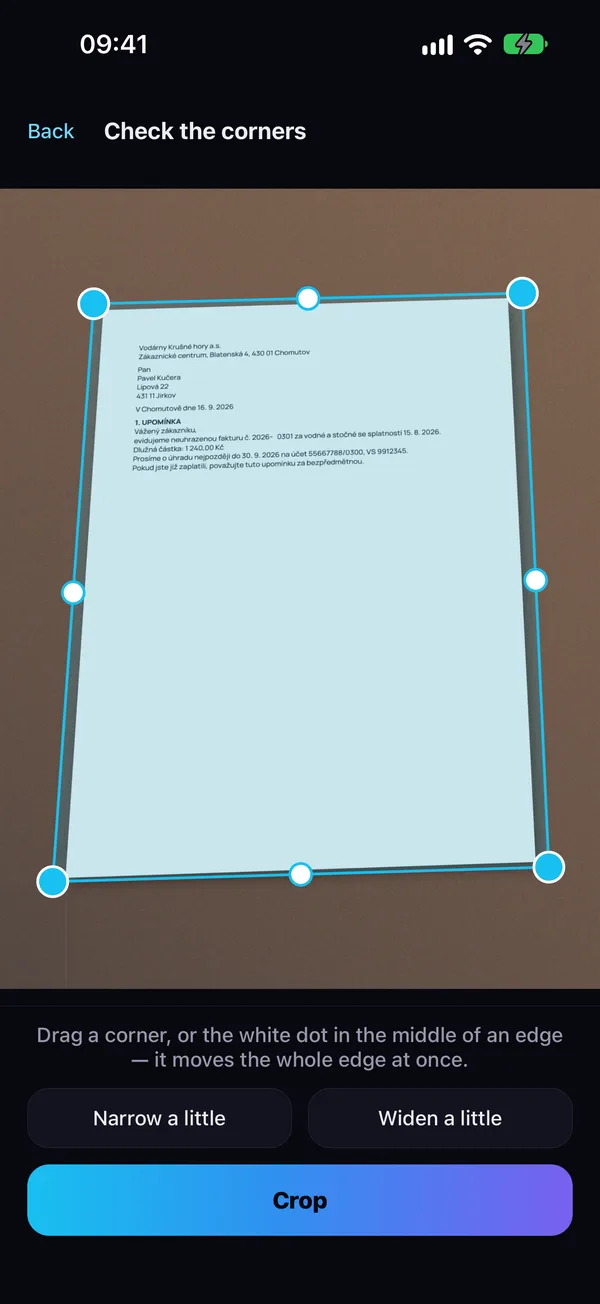
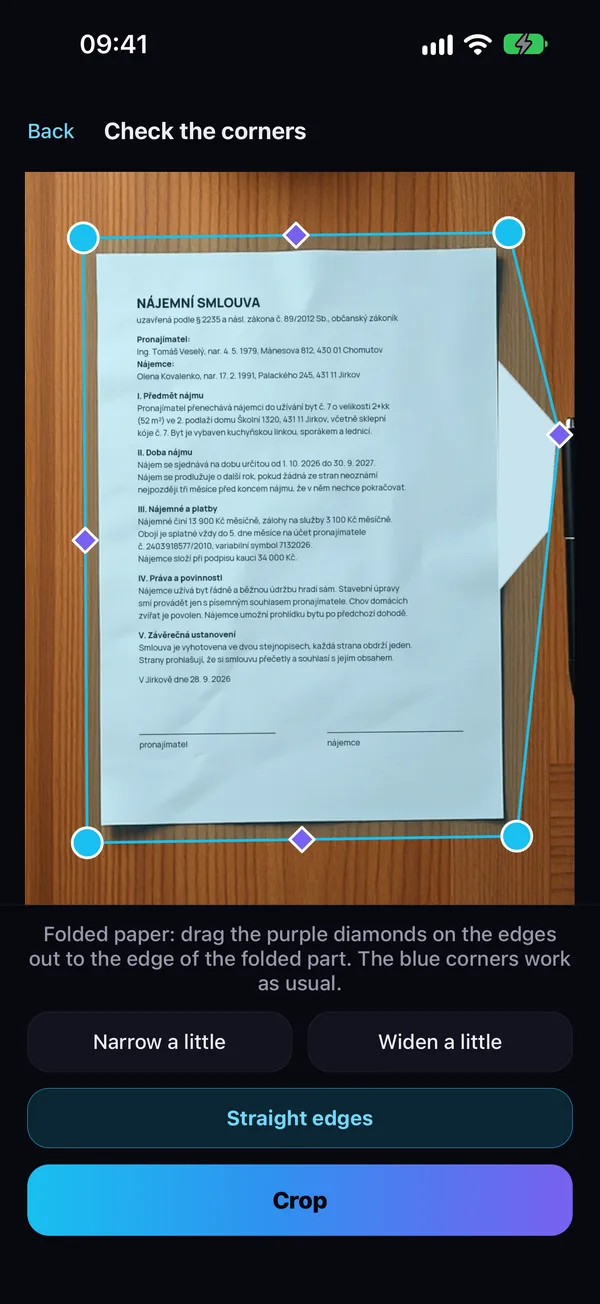
The whole page, even with a folded corner
- Notices when part of the page sticks out and crops it in
- No chopped-off corner, no slice of table in the scan
- If it misses the fold, bend the edge with your finger — drag the purple point to the folded tip
- Ten pages in a row, nothing to tap
Names and summaries done for you
- Names documents by their content
- Pulls out amounts, dates, account numbers — tap to copy
- Search inside all your documents
- Live Text: select and copy right on the page
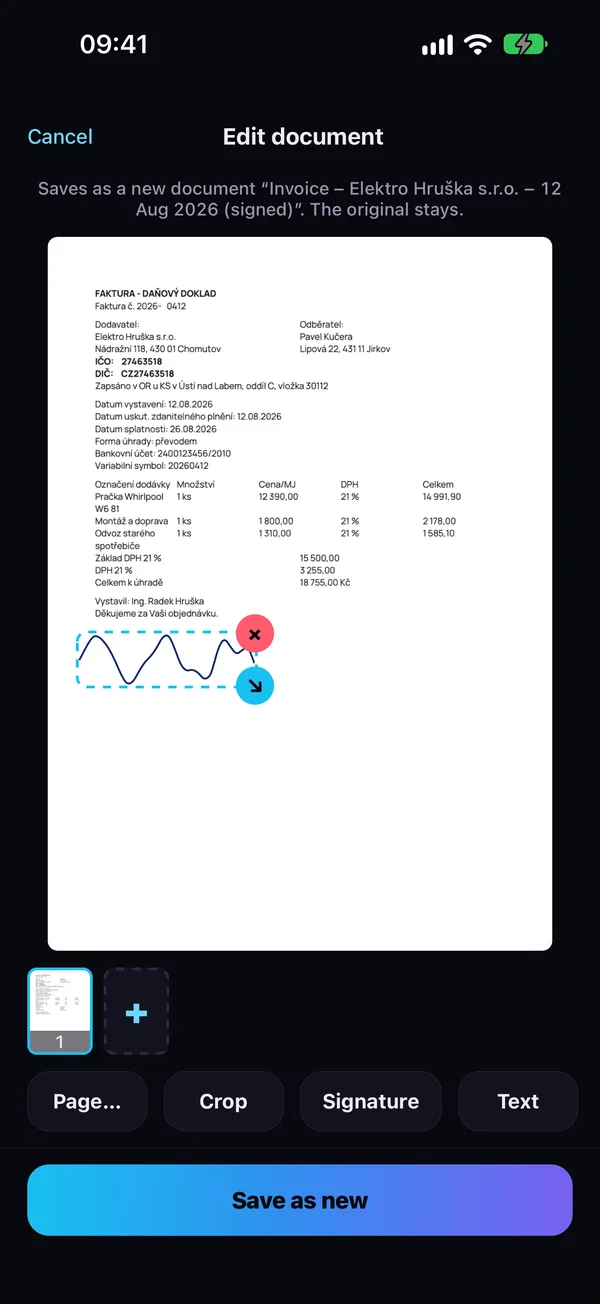
Sign and fill in without a printer
- Finger signature, remembered for next time
- Your own text anywhere on the page
- Crop, rotate, reorder pages
- The original always stays untouched
Understand every letter
- Whole documents into 5 languages
- Bilingual PDF: original and translation side by side
- For offices, leases and clients who speak another language
Your documents stay with you
On your phone, not in the cloud
Documents are stored only on your phone. No account, no uploads.
AI only when you want it
You switch smart features on yourself. Only recognized text is sent — never images or signatures.
Face ID lock
Lock the app with your face or fingerprint.
Who KaranScan is for
Freelancers and small businesses
Receipts and invoices for your accountant in one tap.
Landlords and tenants
Leases, handover reports, statements — signed and in order.
Households
Warranties, insurance, official letters. Find everything.
Expats
Official letters translated into your language.
Questions
Is KaranScan free?
Yes. Scanning, editing and PDF sharing are free. Premium adds smart features and watermark-free PDFs, free for the first 14 days.
Where are my documents?
Only on your phone. We have no access to them and upload nothing.
Do I need an account?
No. Download and start scanning.
What if the page has a folded corner?
KaranScan notices when part of the page sticks out and keeps the whole document. If it ever misses, turn on Folded paper under Adjust corners and bend the edge with your finger.
How do I cancel?
iPhone Settings → your name → Subscriptions, or in the app under Settings → Premium.
iPad or Android?
KaranScan is for iPhone for now. Other devices are on the way.
Try it on your first invoice
Download KaranScan for free and scan a document today.
Download on the App Store